Every tracked open event, including repeat activity.
Recipients counted once for a clearer reach estimate.
Start with the campaign delivery funnel
Campaign analytics are most useful when read in order. Total recipients describe the intended audience. Queued shows work waiting to be processed. Sent means the SMTP server accepted the send request. Failed identifies recipients that could not be processed successfully. Unique opens estimate how many individual recipients loaded the tracking pixel.
Looking at one percentage in isolation can hide the real problem. A low open count may begin with delivery failures, an unfamiliar sender, a weak subject line, image blocking, or privacy features that affect tracking.
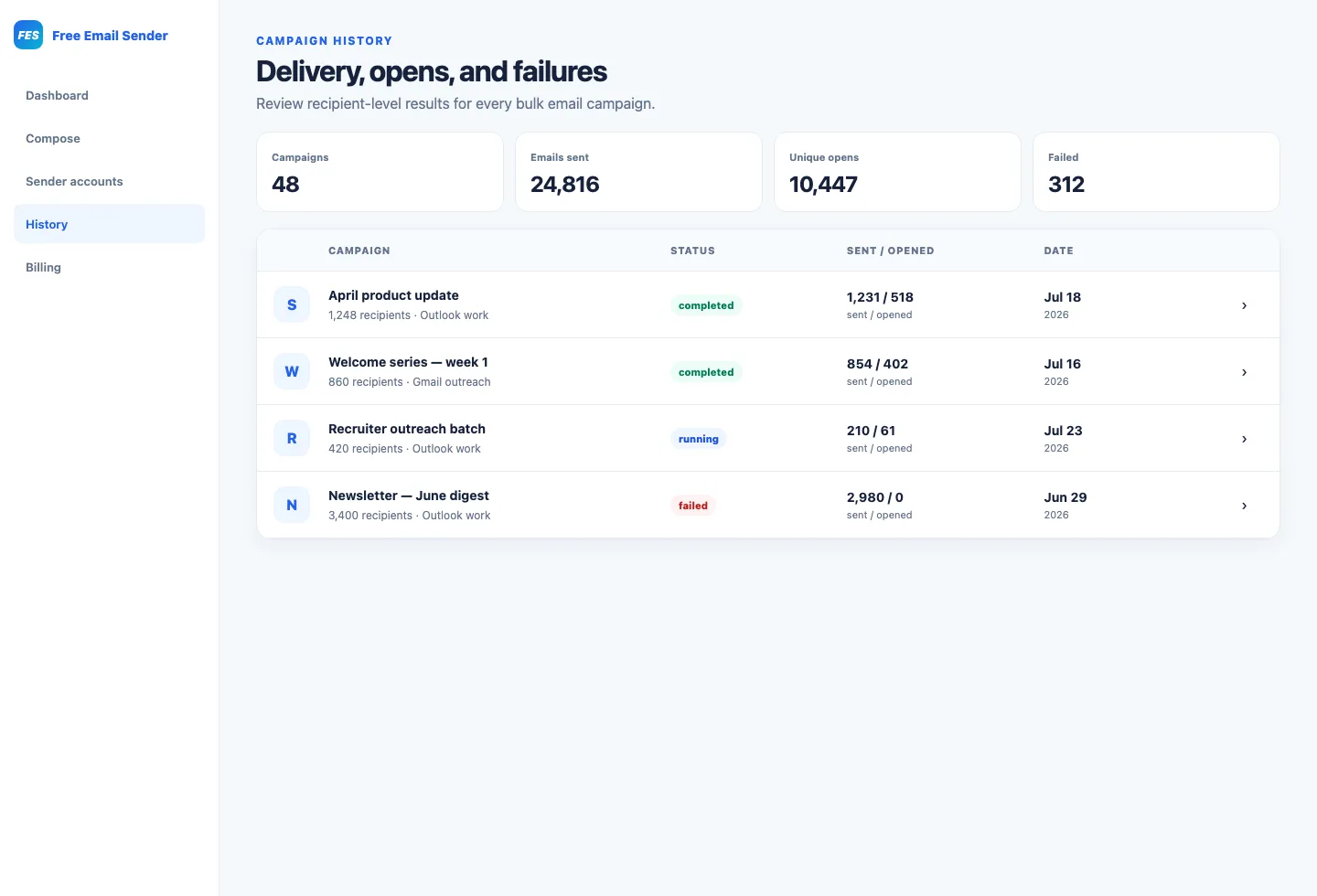
Sent is not the same as inbox placement
A sent status normally confirms that your SMTP provider accepted the message. The receiving provider may later filter, defer, bounce, or place it outside the primary inbox. Use sent counts as an operational measure, not a guarantee that every person saw the campaign.
How unique email opens work
An open is commonly recorded when a tiny image in the email loads. Unique opens count a recipient once even if the message is opened multiple times. This makes the metric more useful for audience reach, but it remains an estimate because some clients block images while privacy systems may preload them.
Compare unique opens across similar campaigns sent to similar audiences. Avoid treating the number as a precise record of human behavior or using it as the only measure of success.
Use failed-recipient reports to clean your list
Failure details are actionable. Invalid syntax suggests a data-entry issue. Unknown mailbox responses indicate an address should be reviewed or removed. Authentication errors point toward SMTP settings, while rate-limit messages suggest reducing concurrency or campaign pace. Keeping the email address beside its error makes cleanup faster.
Calculate useful campaign rates
A simple failure rate is failed recipients divided by attempted recipients. A unique open rate can be calculated as unique opens divided by successfully sent messages, while remembering that tracking limitations affect the result. Track the same definitions over time so comparisons remain meaningful.
- Failure rate = failed ÷ attempted × 100
- Unique open rate = unique opens ÷ sent × 100
- Completion rate = processed ÷ total recipients × 100
Turn reporting into the next campaign plan
Remove permanent failures, review sender authentication, compare subject lines, and segment contacts by relevance. A useful report should lead to a concrete change. Small improvements to list quality and message clarity compound across every future campaign.